
Rohos Bluetooth Logon supports BlueSoleil
 New Rohos Logon Key release (April 2008) now supports BlueSoleil. BlueSoleil (former Widcomm) drivers are supplied for many Bluetooth adapters and devices around the world.
What’s new in Rohos Bluetooth Logon:
- Supports BlueSoleil stack
- Possibility to set up time lag. At the end of it Rohos Logon locks or turns off PC, if telephone has been out of the radius (far from PC) during all the time. This feature completely excludes Rohos Logon false action – when program locks Windows for a few seconds due to short-term telephone connection loss.Â
The time lag can be set up in the dialog box Rohos Options – from 30 seconds to 15 minutes.
Notice: Now we are in the process of signing Agreement with Toshiba Company regarding use of Toshiba Bluetooth Device SDK. Thus Rohos Logon will support Bluetooth adapters built in Toshiba portable.
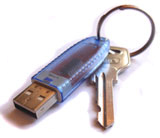 Now the popular USB token uaToken can be used in Rohos Logon Key and Rohos Disk programs as a key for Windows logon (including Vista x86/x64) and data protection on Rohos Disk.