
Rohos Logon Key v.1.6 (Mac)

We announce Rohos Logon Key v.1.6 (Mac) beta with a few improvements:

  • Fixed bug when password contains space ” “and comma “,”
  • Fixed bug with Bluetooth logon when Rohos Logon locks desktop right after USB key setup
  • Improved OFF function – when there are no USB key inserted all USB Keys will be removed from Rohos Logon
  • Added global Autostart item for Rohos Logon. Now after installation Rohos Logon icon will be active in all user accounts

How to backup data on the USB drive secured partition

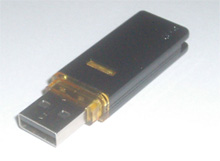
Rohos Disk Encryption software allows users to have  new secure storage on a computer or USB flash drives. In this post we would like to underline the importance of data back-up especially if you are using Rohos disk on USB flash drives. Due to nature of USB flash drives (portable and special memory design) its memory is subject to external influence and the data integrity is not so strong.

Most people realize the importance of data back-up after the disaster has happened:

  • they lost USB stick with secured partition on it
  • after a couple of month of using secure partition on the USB flash drive it has numerous of File System errors due to missed Disk Check procedures
  • after an occasional (but still possible) USB memory data sector failure a part or entire secure Rohos partition is damaged

Read more

How to safely re-format USB Flash Drive into NTFS

Rohos Disk Encryption software creates hidden and protected partition on the USB flash drive. With the help of the program you may password-protect a part of your USB flash drive and open it on any computer by simply entering your password.

Since most USB Flash drives, even the larger ones, are normally formatted with the FAT32 file system – there are limitation on the maximum size of the encrypted partition of 2 or 4 GB (max file size limitation).

In order to create a secured partition that is bigger than 2 Gb you need to change your USb stick into NTFS format.

Before changing the file system on a USB drive care should be taken to backup any critical data on it just in case the process does not work.

Read more

Rohos new website

Dear Rohos users,

We are glad to announce that today, 05 February, 2009 new Rohos website has been launched. You are welcome to visit it – http://www.rohos.com/. Also new Rohos Forum is opened where you may discuss programs’ issues with programmers and write your requests.

Welcome!

Rohos team