
Rohos Face Logon v.2.7

Rohos Face Logon designed to add authentication convenience to the standard Windows logon procedure. It allows to access Windows computer in an easy, fast and secure way by using face recognition logon.
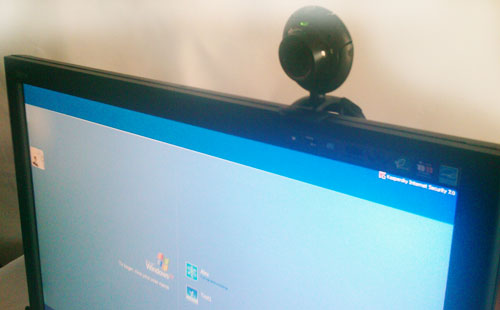
Security benefits with Rohos Face Logon:

  • Rohos completely replaces password based login with a facial recognition login
  • Use a big and secure password without entering it manually
  • Has a feature that reduces the risk of logon by a hi-res photo ( Camera output can be hidden)

What’s new in v.2.7:

+ Self-training feature
+ Improved face detection algorithm

The self-training feature remembers failed recognitions and allows automatically convert them into face models without registering new face models. Open “Not logged in” dialog, choose the patterns and click Register to save them as face models. This makes the additional face registration process unnecessary.

Download 15-day trial, price $25.
* for Windows XP/Vista/7
* works with any web camera (Microsoft LifeCam, Logitech, etc.).

Rohos Disk Encryption v.1.3

We are glad to announce Rohos Disk Encryption v.1.3 release. Now Rohos Disk Encryption is independent from some Rohos Logon Key settings, e.g. USB key choise, and also the program has data backup reminder if the password protected part is located on a USB flash drive.

What’s new:

  1. USB key settings are independent from Rohos Logon Key. Upon choosing new USÐ’ key it immediately comes into effect.
  2. There is new module in the program – “Rohos Disk service”, it’s in charge of disk’s autonomous operation (e.g., upon PC shutdown Rohos disk will be disconnected only after all other programs have  stopped using the encrypted disk).
  3. Convenient display of several connected Rohos disks in the program’s Main Window. Now additional disks could be easily checked for errors, it’s easy to create a backup copy of encryption keys and even to restore them.

    Read more

Rohos Logon Key for Mac 1.7: Touchatag logon

(updated on 20 April, 09)

We would like to publish Rohos Logon Key for Mac v.1.7. beta.

What’s new:

  1. Supports Yubikey OTP validation on the Yubico’s server.
  2. Added new USB Key type: Touchatag RFID reader + tags.
  3. Fixed security bug with YubiKey static authentication, in some cases it was possible to unlock Mac by entering YubiKey ID. The bug affects only screen saver unlock window.
  4. Fixed PIN code dialog, now it can be closed by the user in case of PIN/YubiKey authentication failure.
  5. Improved PIN code function, now after 3 wrong attempts to enter PIN the USB Key will be blocked. It means it will not be possible to use it as a logon key. To unblock the USB key, open Rohos application and change PIN code (only the blocked USB Key should be connected).
  6. Improved compatibility with Mac OS X Tiger (10.4.*)

Download v.1.7 beta.

Read more

Rohos Logon Key v.2.7 beta: Senselock, Swekey, Touchatag, Securetoken

(updated 30 June)

Rohos Logon Key v.2.7. – two-factor authentication solution for Windows now supports the new types of USB tokens and authentication devices, improved Windows Seven support.

Read more