
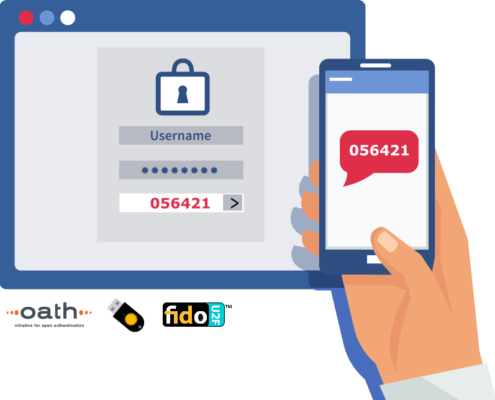
 Rohos Logon Key offers two-factor authentication control on workstation, server or enterprise network level.
Two-factor authentication methods diversity:
- OATH One Time Passwords generated via Google Authenticator or YubiKey;
- OTP based authentication based on Email or SMS delivery method;
- 2FA Push notifications with Rohos Logon Key mobile app;
- Hardware security devices like PKCS#11 tokens, Smart-cards, RFID cards;
- FIDO/FIDO2 U2F security keys;
- BLE beacons
- Allows MFA methods combination for local or any remote access session software RDP, TeamViewer or AnyDesk;
Rohos Multi-factor authentication benefits:
- Secure your Windows infrastructure and save your budget;
- Integrated safeguards to prevent 2FA / MFA bypass attacks;
- Cost-effective compliance with GDPR, PCI-DSS MFA, HIPPA, TISAX and others;
- On-premise 2FA: no need to connect your servers with the cloud;
- Seamless integration on Windows AD or standalone Server by using MS approved authentication frameworks;
- Open and script-able OTP 2FA setup and agent configuration possibility;
Reviews
The software is extremely easy to use
 SC Magazine US
Easy to set up and deploy, Rohos delivers a token-based approach to Windows logon.
Your product is perfect!
 Matt Stephens, walterclark.com
It is the only 2FA program I could find that would let me whitelist my internal subnet so that users on the LAN would not need the OTP code.
- Rohos Logon Key v5.6 with 2FA self-enrollment Apr 07
- How a 2FA bypass incident can occur in real life. Dec 18
- 2FA key name label in Rohos Logon Key v5.5 Oct 10
- Rohos Logon Key v5.4 Jul 18
- Rohos Logon Key v5.3 Jan 07
- Windows ARM support in Rohos Logon v.5.2 Sep 01
- Rohos Disk Encryption v.3.3 and Rohos Mini update Jul 06
- Rohos Logon Key v.5.0 preview Aug 11
- Rohos Logon roadmap for 2022-23 Jun 18
- Rohos Disk Encryption v.3.2 Apr 14
- Learning lessons: Fully implement multi-factor authentication
- Latest Two-factor authentication vulnerabilities review
- Using SecureData USB flash drive for Windows and Mac Login
- Advise to setting up the admin account for OTP 2FA in conjunction with Rohos and remote access
- P2P encryption ownership in secure online storage products (Mega.nz, OneDrive)
- 2FA Push tokens in Rohos Logon Key mobile
- How to protect Azure, Amazon WorkSpaces Windows with two-factor authentication
- How to block Skype and encrypt Skype profile folder
- (Soon) Introducing file encryption in new Rohos Disk
- Two-factor authentication by OTP for TSPlus remote desktop access