Latest Two-factor authentication vulnerabilities review

According to information regards the latest security incidents with LastPass, Cisco, Uber and Okta, adversaries exploited two-factor authentication procedures to disable or bypass access control. Such techniques as MFA Bombing, Fishing, MFA fatigue, and 2FA Men-in-the-Middle (MiTM) attack were used to mislead end-user, steal plain text passwords and perform MiTM on two-factor authentication. User-friendly feature “Allow authentication request” was miss-used as a tool. In all cases, adversaries were able to bypass two-factor authentication by either disabling it on target accounts, stealing MFA secrets, or adding a new MFA profile.

Social Engineering (SE)

In the case with Uber, the attacker first somehow discovered the employee’s WhatsApp number, started a Messaging chat, and send an URL to the victim with the fake Uber site login page. After that intruder applied SE to convince the legitimate user to enter login credentials on a spoofed Uber login page.

MFA bombing by push notifications

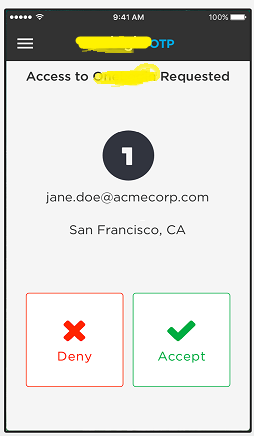
After successfully stealing user login and password, the attacker initiated an MFA bombing/MiTM attack by login to a legitimate Uber login page multiple times, generating a storm of push notifications “Accept login request” to employee’s smartphone. At some moment the user confirmed the request thus allowing the attacker to access the system.

MFA provider re-enrolling

In case with Microsoft breach, hackers re-enrolled smartphone-based MFA (push tokens) on new device by accessing Okta MFA provider account (or partial MFA vendor infrastructure takeover), and then performing login into the target user’s MS accounts by using MFA duplicates.

How to improve your MFA / 2FA control ?

Here are a few pieces of advice on how to check your current MFA implementation for improvements:

  1. Train your employees on how to report / act when MFA access requests on the smartphone appeared at Inappropriate times. After training, perform field tests to generate inappropriate MFA requests to ensure proper reflections by the end user.
  2. Check if your employees know about a decent and friendly way (Social Re-Engineering?) to verify via phone if they really speak with somebody pretending to be a ‘support desk representative’ from your company.
  3. Monitor your system’s remote access for inappropriate/suspicious/abnormal activity, for example – out-of-work login time, MFA failure, or too long MFA approval time.
  4. Continue updating your MFA toolset by employing new MFA technologies like U2F FIDO, FIDO2, WebAuthn in parallel with the current MFA.
  5. Check if your MFA vendor/solution has new features to filter access by IP or MFA device. Check if the MFA solution logs MFA activities parameters.
  6. Use gamification within your IT team to simulate or imagine how MFA re-enrollment, misuse and bypass may happen in your organization.

What about Rohos Logon Key ?

Rohos Logon Key adds strong two-factor authentication control for Windows Remote Desktop access. Rohos allows to implement and adopt multi-factor authentication into the business processes with minimal side effects. In Rohos we always experiment with new features.

  • You may employ different MFA methods: password, PIN code, Smartphone or strong authentication devices like FIDO2 U2F key, YubiKey, Google Authenticator One-Time password codes, USB iKey tokens or RFID cards per different user groups depending on requirements or technical skills.
  • It is possible to apply MFA by IP filter.
  • It is possible to use MFA bypass control – lock desktop immediately when MFA was not used for login session.
  • Rohos log all type of MFA events: Login session time, MFA prompt time and successful MFA duration time for each user.
  • Rohos for Android/iOS app does not uses Push notifications ‘Approve access request’. With Rohos MFA app – Notifications bombing is not possible.
  • Rohos allows to add of more MFA redundancy by setting up FIDO2 physical key and Smartphone app for the specific user account. The MFA diversity can be used to distinguish between logins of legitimate user MFA or stolen/ re-enrolled MFA.
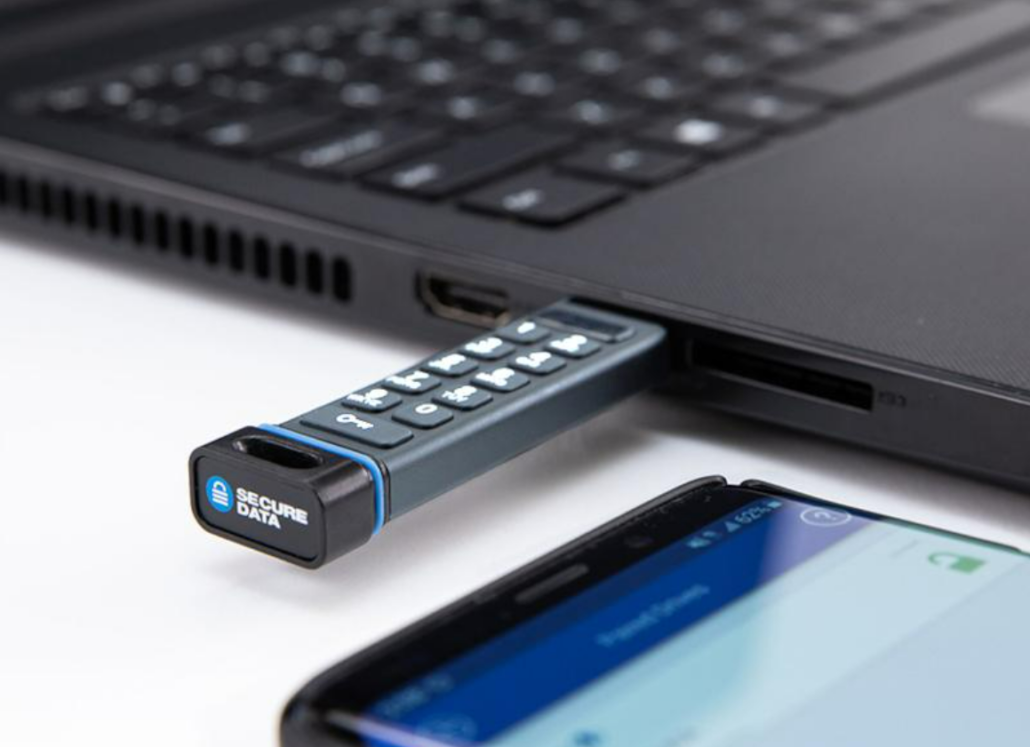

Using SecureData USB flash drive for Windows and Mac Login

Photo by SecureData, Inc.

We would like to recommend the use of a SecureData SecureUSB® Duo encrypted device in conjunction with Rohos Logon Key for Windows Logon two-factor authentication. This will give you an additional layer of security. SecureUSB Duo hardware-encrypted USB Flash Drive offers Host/OS Independent user-authentication and military grade security. User authentication can be done by using the physical keypad on the USB drive or via your smartphone using the free User app (iOS or Android). When using the keypad, you can either plug it into an open USB Port on any type of Windows computer and enter your 7-64-digit PIN (password) to unlock the drive, or press the key button, enter the PIN, and then plug it into any open USB port. When using the phone to authenticate, you will need to download the free app from the App store for iPhone, or from the Google Play Store for Android devices. To unlock the drive using the app, you will need to plug the drive into the host then open the app on the phone. Using a smartphone for user-authentication offers additional security layers that you can set up in the app. You can set 2FA to unlock the drive or use bio-metrics. We also suggest setting up PIN recovery in the event the PIN is ever forgotten. Rohos Logon Key is the only solution on the market that allows to set up of two-factor authentication redundancy by employing multiple 2FA methods on the organization level or user account level. Read more to find out how to configure and use SecureUSB for Windows logon.

Read more

Rohos Logon Key v.5.0 preview

We are glad to announce Rohos Logon Key 5.0 early preview with improvements in the ‘2FA bypass control’ feature and better compliance with Microsoft Defender.

What’s new in Rohos Logon Key 5.0:

  • Improvements in the ‘2FA bypass control’ feature. Now the special option “Remember 2FA” allows defining a time interval in seconds to reduce possible false-positive alarms. Also ‘2FA bypass’ events are now added to the authentication event log with IP address information.
  • Java Card support module is temporarily removed from the setup package to comply with Microsoft Defender.

Download and Install over existing Rohos Logon app to try new features:
Download the latest Rohos Logon Key v.5.0 (15-day trial full version) >>
For customers who ordered v.4.8-4.9, the update is still free!

About Rohos Logon Key

Rohos Logon Key adds strong two-factor authentication control for Windows login. Rohos allows implementing multi-factor authentication decision solution, where you can combine different authentication devices: password, PIN code, Smartphone, or strong authentication devices like U2F key, YubiKey, Google Authenticator One-Time password codes, SafeNet iKey tokens, or RFID cards. With Rohos you can protect standalone computers, Active Directory workstations, Terminal Servers, Azure and AWS workstations, or other remote assistance solutions like TeamViewer, and AnyDesk.

Get your copy of the Rohos Logon Key>

View the complete list of supported devices for Windows 2FA logon> 

Rohos Logon roadmap for 2022-23

Here we would like to share the items from the product roadmap briefly.

Currently in Rohos Logon Key roadmap list:

  • More robust two-factor authentication redundancy support for Windows.
  • Integrated two-factor authentication bypass control with push notifications in Rohos Logon mobile app, better detection for various remote tools, and unattended support tools like TeamViewer, AnyDesk, VNC, etc.
  • Further development for Rohos logon Key for Android/iOS with improvements and better push 2FA method support.
  • Better and smoother OTP self-enrollment, auto-enrollment for OTP in Aactive Directory.
  • MS azure support via MS Graph integration.
  • webhooks support for 2FA auditing and 3rd party SIEM integration.
  • Development of Polymorphic setup file to avoid being detected and disabled in an automated way by malware or possible attackers.  
  • Adding subscription licensing type with included SLA support, updates, and Rohos SBOM data. 

Rohos Disk Encryption v.3.2

This is an update where we rebuilt all binary components in a safe environment after strengthening our internal software development security. We also checked Rohos Disk with the latest Windows 11 and new Google Drive “Stream Mode” feature. Both container file or file encryption is compatible with google virtual drive letter. Rohos Disk is a good choice for vendor-independent End-2-End encryption for your Google Drive, OneDrive, or DropBox files.

What’s new in Rohos Disk v3.2: 

  • Windows 11 Support tested and verified. 
  • Removed legacy authentication modules.
  • Removed Folder Virtualization feature from Rohos Disk Browser.
  • Fixed installation of File Shredder tool  (Explorer “Send To” command in context menu).
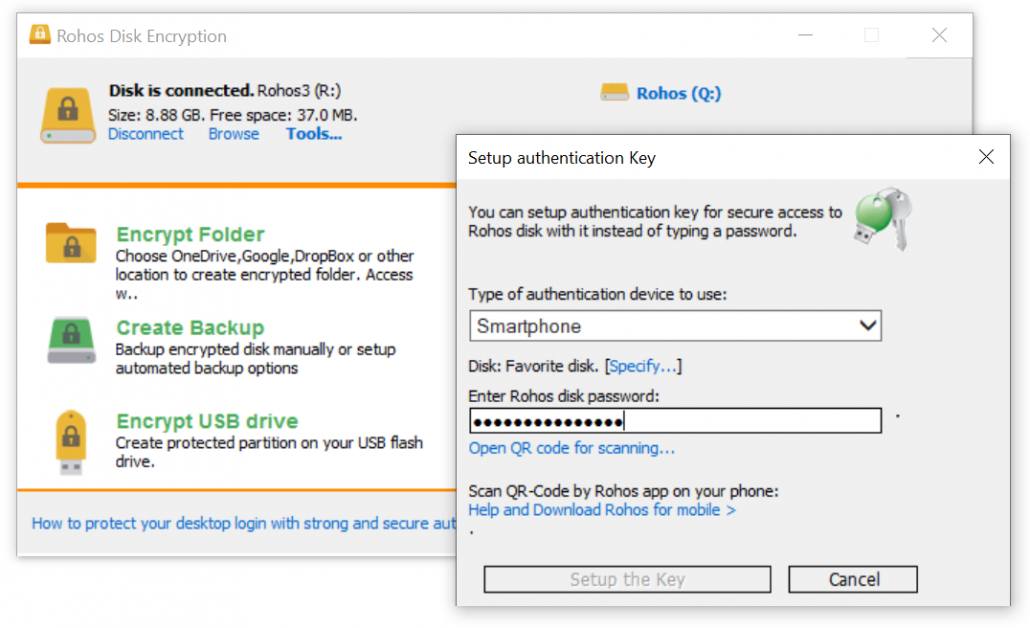
  • Added Smartphone authentication method that allows to use Android/iOS phone as a key for your Encrypted Disk.
Read more

Rohos Logon Key v.4.9

We are glad to announce Rohos Logon Key 4.9 with a new feature with an audit trail for 2FA configuration changes.

Read more

Advise to setting up the admin account for OTP 2FA in conjunction with Rohos and remote access

We would like to share some advice regarding two-factor authentication and its use with an admin account when logging into Windows RDP. If it is not enabled currently we would strongly advise setting up the admin account for additional OTP authentication in conjunction with Remote Desktop access and Rohos Logon Key. Let’s review the pros and possible side effects.

Of course, it is highly recommended to use 2FA for the admin account, and it is definitely recommended rather than keeping it 1FA only. Just to remind you that default RDP login based on NLA credentials (user login and password in plain form store in .rdp connection file) from the client-side is quite vulnerable now since these credentials may be stolen and used by malware operators in an automated way – so the attack speed will be just 5-10 minutes.  So today, the absence of additional authentication factors (2FA/MFA) is considered negligent. Even more, due to recent development in exploits and malware for Windows operating system, desktop sessions created by regular user accounts also may be elevated to Admin Privileges in Domain or Active Directory (AD) with a high success rate depending on your defense type (Anti-virus type, EDR solutions, etc). So a variety of exploits for horizontal/lateral movement in AD are huge also.  But of course, Admin’s accounts are always a special target for cyber-criminals and traded as a high-price asset on the darknet. 
To summarise, definitely you need to start your cyber-security efforts in 2FA from some point, and admin accounts are the right starting point, highlighting you have a cyber-security strategy.  Especially with Rohos, since it is very easy to start with and has a fixed one-time price. 

Read more

Rohos Logon Key for Mac OS X 12 Monterey

We have updated Rohos Logon Key setup package for compatibility with Mac OX X 12, Monterey.

Read more

Windows 11 support

This is a short announcement to confirm that all the latest versions of Rohos software products are fully compatible with the latest Windows 11 operating system. We continue to develop Rohos product line by adding new features according to our plans. We appreciate all of our users and customers for the valuable feedback while choosing Rohos cyber security solutions.

Rohos Software compatible with Windows 11: 

  • Rohos Logon Key, Rohos Logon Key free, Rohos Face Logon 
  • Rohos Disk Encryption, Rohos Mini Drive

Two-Factor Authentication bypass prevention control in Rohos Logon Key 4.8

We are glad to announce Rohos Logon Key 4.8 with automated prevention over ‘Two-Factor Authentication bypass scenarios’. The new experimental feature allows to get an immediate push notification on the smartphone when the Two-Factor Authentication (2FA / MFA) procedure is avoided during login/unlock or reconnecting to console or remote sessions. Because of well-known system vulnerabilities that allow RDP session hijacking, never-ending stories with 0-day exploits in RDP protocol or authentication system, and unattended remote tools like TeamViewer or 2FA credentials theft during fishing and social engineering – all these lead to unpredictable threat models and risks.
Rohos Logon commits to experimental innovation to address these issues. Currently, Rohos Logon Key app uses three simple rules to trigger push notifications and lock the session in case of Two-Factor Authentication bypass. This allows for defining response and mitigation in case of unknown vulnerabilities of the authentication procedure. The experimental approach works well for standalone Terminal Servers, AD farms, cloud servers in AWS or Azure, workstations, or personal laptops as well. In the future, we plan to add more rules and response actions that allow mitigating authentication vulnerabilities of Windows system, Rohos or human factors. Currently, Rohos Logon Key is the only 2FA application in the world that offers self-control backward loopback, starting from the login prompt to the RDP session desktop. Read more about how it works.

Read more