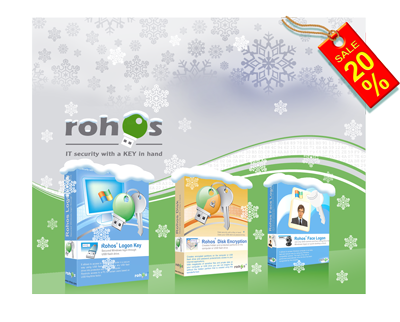
Welcome to 2014

Dear users and customers,

We are happy to be with you for 9 years since first release of Rohos Disk Encryption in 2005. In next year we will continue to develop our security tools for all of you. Today we would like to share  our plans, ideas and discount coupons for sure  🙂


What’s new planned for Rohos Logon Key:

  • 2-factor Authentication by using your phone (Android, iOS) as a key;
    In Brief: When your phone is connected to your WiFi network it can send authentication signal to your PC in order to login or unlock desktop;
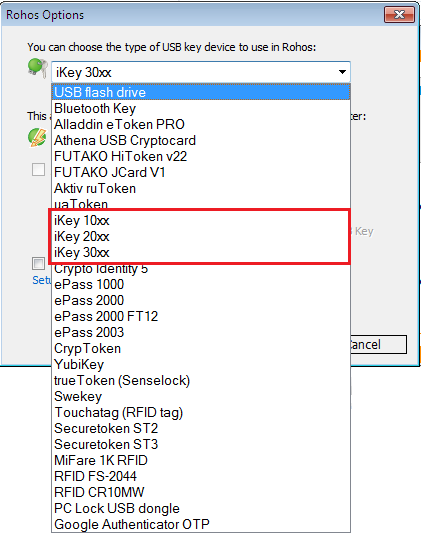
  • The possibility to use different types of authentication devices at the same time for Windows/Mac logon. For example: you will be able to use a different types of PKCS#11 tokens, Yubikey, Phone at the same time for a single PC;
  • Improve Corporate Network and AD environment support;
  • Upgrade Rohos Logon Key for Mac up to Windows version level: Free release for App Store, more features for standard version.

What’s new planned for Rohos Disk Encryption:

  • Possibility to use your phone (Android, iOS) as an encryption key for your encrypted disk;
  • Possibility to use Cloud File Hosting like DropBox as secret key storage for Rohos Disk. It will allow you to create encrypted disk connected with a shared File on your DropBox (this file contains a part of encryption keys for rohos disk). If you want to make Rohos Disk inaccessible forever – just delete the file from DropBox or stop sharing it;
  • We will continue to develop “Encrypt folder” feature that allows easily encrypt and keep portable Data Profile Folders for many Apps like Skype, Firefox, Chrome, Opera and others that operate with your personal and confidential information.

Meet new Products

Please meet our new Products KidLogger.net and StaffCounter.net – both products performs digital surveillance for computers and mobile devices. KidLogger is a service for Parental Controls, and StaffCounter is for employee monitoring.

Discount coupons

20% off for all products: NEW14

(Coupon is valid up to 15 Jan 2014)
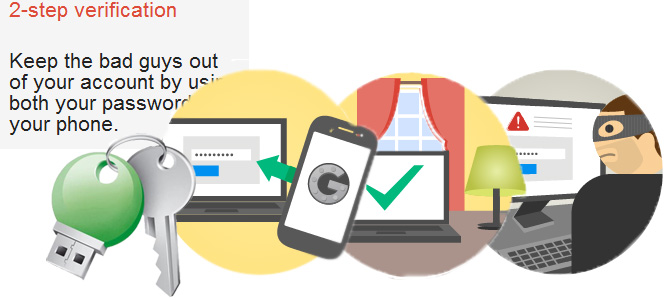
 

Login by your face with 2-factor authentication

We are glad to announce Face Logon v.3.1 with 2-factor authentication feature for face login and USB drive Windows login.

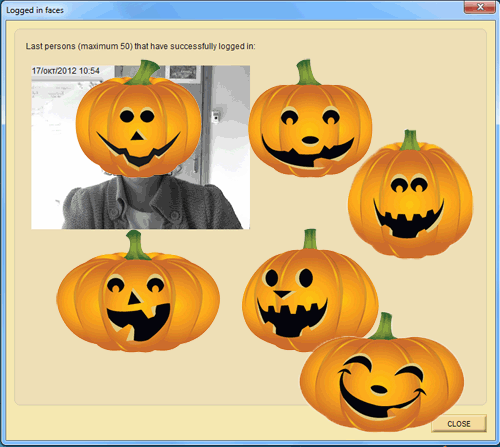
Rohos Face Logon allows to log into Windows computer in an easy, fast and secure way by using your face or USB flash drive. The login of the user is performed automatically once the face has been recognized by the program or USB key is connected to PC. Rohos Face Logon provides identification of a user by biometric verification in an automatic continuous process, based on neural network technology.

Read more

Rohos Logon Key v.3.1 security features

Rohos Logon Key v3.1 introduces a number of significant changes. Now it allows to apply 2-factor authentication policy based on user list or user group membership in Active Directory. This will allow to test and implement 2-factor authentication step by step.

New features:

Read more

Rohos Logon Key 3.0 with OATH support

Let us present you a new version of Rohos Logon Key program – Rohos Logon Key 3.0 with OATH support. Now you can use popular Google Authenticator and Yubikey H-OTP for 2-factor Windows login.

Read more

Using Google Authenticator OTP for Windows login

The access to your computer or user account is usually password-protected. But sometimes it is not enough, especially, when your data requires high level of confidentiality. You don’t want to provide attackers with the chance to get hold of your most secret stuff and your data, don’t you? We has included Google Authenticator and Yubikey HOTP support into Rohos Logon Key. Now Windows login is performed in High-Safety mode by using Time based One Time Password and HOTP codes.

Read more

“Welcome to 2013” discount tickets.

Dear Users, we are wishing you a Merry Christmas and a Happy New Year!

Warmest wishes for a happy holiday season and a wonderful new year. We wish you years and years of good health. May your Christmas be filled with peace and love.

Stay with us and feel secure throughout the coming year. To make you happy we are glad to place some presents under the Christmas Tree. Save 25 % with our Rohos software and keep your computer data protected.

Happy Christmas!

For this event we offer up to 50% discount tickets :

– 15% off for any rohos software. Order Now.

Enter discount coupon code R-2013 at the bottom of checkout page.

– 25% off for bundles:

Rohos Logon Key (WIndows + Mac). Order Now,

Rohos Disk PRO. Order Now

Rohos Disk PRO + Face Logon. Order Now.

Rohos Disk PRO + Rohos Logon Key (Windows). Learn more. Order Now.

Up to 50% discount ticket we offer for educational and non-profit organizations. If you are student please apply also! Please contact us for educational discount.

Windows 8, Yubikey and 2-factor authentication renewal

We updated Rohos Logon Key 2.9 with a few new options including Windows 8 support.

Rohos Logon Key allows to access Windows computer or Remote Desktop session by using a USB Key and optional password. With this release we allows all of the customers update for free before we switch to version 3.

What’s new list:

  • Windows 8 support
  • Yubikey Options dialog box now allows to edit and export registered Yubikey List.
  • New 2-factor authentication possibility – Require user to type Windows password along with a USB Key. Forcing string 2-factor authentication for Windows login.
  • Updated “Wireless PC Lock” tags support.
  • New feature – Write all authentication events to log file.

Download Now (Release date 14/11/2012)

Windows 8 Support

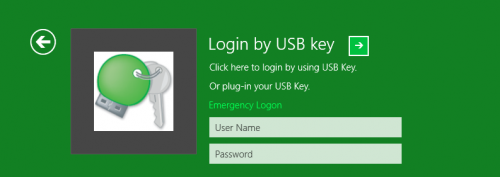
Now Rohos Logon Key authentication tile look like this.

USB Key based login into Windows

Read more