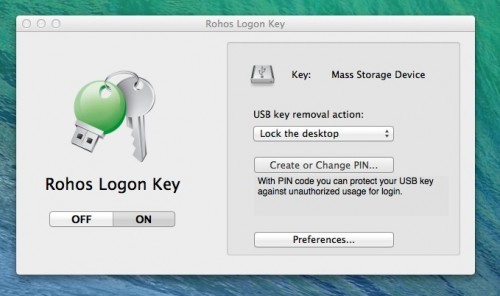
Rohos Logon Key 3.3
We are happy to announce Rohos Logon Key v.3.3 with many improvements and one nice feature.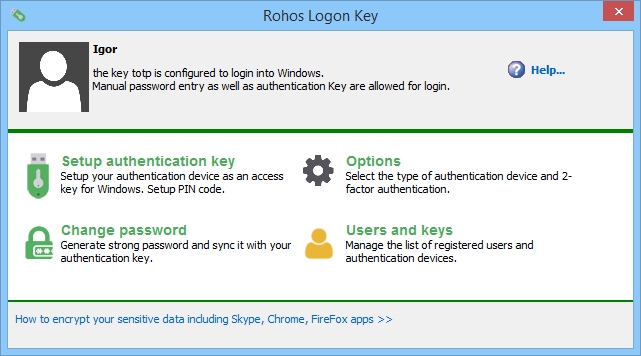
In Version 3.3:

We are happy to announce Rohos Logon Key v.3.3 with many improvements and one nice feature.
In Version 3.3:
Dear Rohos Face Logon users, we are pleased to introduce an updated version of the program you love.
In the new version you’ll find:
Rohos Logon Key v 3.1 allows you to implement a two-factor authentication policy, based on a user list or user groups in Active Directory. This allows you to verify two-factor authentication and apply it step by step. New features:
Rohos Disk ensures that your data is protected from third parties by locking the disk in your absence. The size of the disk can be increased as needed. You can create several disks on a PC, USB flash drive, or a DVD at the same time.
We’ve introduced a new version of Rohos Disk — Rohos Disk Encryption 2.2. A distinctive new feature that it brings is the remarkable Backup Disk functionality. Now making a backup copy of the contents of an encrypted disk is much faster and easier.
Read more
Dear users, today we have updated Rohos Logon Key for Mac installation package to support Mac OS X 10.11 El Capitan. By default after updating Mac OS X to El Capitan it will disable Rohos Logon Key and you need to reinstall it.
Rohos Logon Key allows to easily log on, unlock or authenticate KeyChain to Mac without the need to memorize password. You can protect access to your Mac, system preferences security and other authorization requests with a broad range of security tokens like USB flash drive, Smartphone or Yubikey. Find more>
Read more
 We are welcome you to try Rohos Logon Key and Rohos Disk Encryption software on a new amazing operating system released by Microsoft recently.
And we would like to publish a few notes about Windows 10 support.
For Rohos Logon Key:
For Rohos Disk Encryption:
We are working to resolve these issues.
Rohos Logon Key v3.2 for Mac OS X 10.10 introduces new way to quickly lock your Mac when you step away.
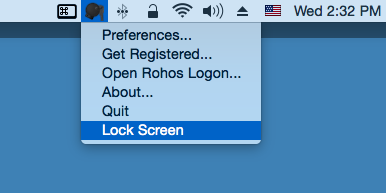
New release available as free update for registered users
Or you can Try it for 15 days for free now >>>
 We are glad to present Rohos Logon Key v.3 (for Mac OS X) with multiple
authentication methods support. Now it is possible to setup USB drive or
any smartphone as a key for your Mac and use all of them at any time.
Rohos Logon Key allows to use USB stick, any mobile phone or Yubikey to login and unlock Mac without using password.
Read more
Sometimes it is necessary to provide a user the automatically logon in Windows
without using of any key and password. Administrator’s account, however, must be protected with a password and hardware key.
Windows 8 allows you to login without writing a password, although it was assigned.
For example, we’ve created a user account User321, and assigned a
password for it. For administrative purposes we have got an Admin with
his own password on the same machine.
Read more
We have updated Rohos Logon Key for Mac to support Mac OS X 10.9 Mavericks.
Try it now or Upgrade for free if you are registered user – Download